How to Sanitize Your Devices Properly

Your hands might be clean, but when did you last clean the devices that you (and maybe others) touch so often? Here are some tips:

Turn off and unplug everything first. It’s easy to drag something off a table or simply short-circuit something with moisture.

Include all external peripherals that you touch, obviously the keyboard and the mouse.

Look for specks on the monitor screen. Uncaught sneezes and coughs often hit the monitor. Be careful, screens are very fragile.

Turn keyboards upside down. Very very gently shake loose any crumbs. If you have a compressed air can use it gently. If not – do not be tempted to blow in it, breath is too moist and not clean.

Clean using a lint-free cloth only – not a dishcloth, wet wipes, tissues or dusters. Use sparingly a cleaning solution of 70% isopropyl alcohol, applied to the cloth not directly to the device. Tap water is too wet (doesn’t evaporate quickly) and only moves the germs around.

Clean wrist rests and other areas of the desk.

Remove and wash your mobile phone case thoroughly. Dry very well before reusing obviously.

Clean earphones carefully with a cloth and alcohol cleaner.

Dispose of the all cloths between cleaning, or wash them properly in suitable cleaning fluids.

A Simple Way To Decide

I recently faced an interesting challenge. Should I build something ‘amazing’ if it’s going to cost a great amount and possibly be obsolete quickly?

There didn’t seem to be anything around that considered this, without building a fully-fledged business plan. I wanted to broadly quantify the inputs into the decision. I wondered if a pseudo-scientific approach might help.

Consider this simple equation:

decision = value + lifespan – cost

So, using an abstract 1-10 estimation scale for all values, you might see the following;

  • D= 9 (a cool feature) + 1 (but a short life) – 7 (a costly build) =3 ->probably not worth it.
  • D=7 (a good feature) + 6 (medium life) – 4 (medium cost) = 9 ->is worth it.

Note: without going into depth, remember Cost should include downstream maintenance, not just building effort and materials.

These discussions are usually not a yes/no but “how much” do we build – as in what’s the balance where the output (value) justifies the input (cost and life). As such it’s nice to put a number on this, especially for comparative analysis.

Anyway, I appreciate this is clunky and crude but it’s quick and it’s “something” – and that alone is better than what many people use. I also found it helps introduce many deeper points. What do you use in your product development thinking?

Future Of Home Working Series: AI

Artificial Intelligence (AI) is starting to seep into everyday life, and as such let’s try to extrapolate the potential impact on home-work.

Guidance. AI looks at large volumes of varying data and uses algorithms to determine something resembling meaning. Think of this like reporting-on-steroids. This means insights and decision support is not a few clicks-away or must garnered from a chart, it will get built-into the business process directly. As such, the tasks at hand are pre-crafted by a system which has already calculated the best action to take based on the data available.

Autonomy. Using the same theory as above, some tasks will be so obviously the right ones that they are automatically taken, without the need for human intervention at all. This works fine for rule-based work decisions with little or no room for exceptions.

Setup. Work resources and tools will become richer and more immersive. More Video and Virtual Reality will allow you to visualise the work, interacting with remote environments.

Keyboards might finally bite the dust. Verbal commands and gesture interfaces might fit many work tasks. Ask system questions and to model scenarios based on auto-collected big data (e.g. would my customers like x or y). Hold conversations with the systems that has the raw data – turning it into insights and knowledge and issuing the appropriate actions.

Work Assignment. Maybe clever machines can dissect jobs into specialist fine grained tasks, and assign these out based on worker profiles – their past history and validated abilities). This means workers focus is narrow but deep and helps cross-pollinate skills over multiple projects or even employers. Basically this becomes work-as a-service.

No more offices – but a virtual office. You appear as avatar and work like you would surrounded by colleagues – their avatars. Means no loss of social, cultural and personal engagement. It means you Can be “in” more then one virtual office at once, to collaborate with any colleague anywhere. Everyone is just a virtual tap on the shoulder away.

Less Stuff. Everything you need will be in the cloud. Soon you will not have a need to maintain your own office setup as everything will be done online. You’ll only need an interface – probably a camera based system which permits body interactions: speech commands, gestures, body language nuance and so on. Obviously will need to see as well, so some kind of holographic projection system or output like glasses or headset (once they’ve fixed the VR nausea problem).

Ideation. Even ideas could be auto-validated by intelligent systems which can run virtual tests and builds to see if something might practically work out. Eg architecture or chemistry.

General Assistant. Imagine if your automated assistant is also watching too, looking for body queues like frustration and enjoyment, and feeding you alternative perspectives. Using intent and sentiment analysis during a meeting – against all participants, they could capture key points that you might have missed. An assistant might scan and analyse the whole thing, giving a post-meeting summary.

Meeting modelling. This same scanned data could also “model” the interactions and allow you to test how things could pan out. Indeed if everyone’s online profile (work tracking profile) was available then a picture could be modelled of participants. This could give pointers as to who might be best placed to be involve and how best to handle certain folks based on their historical interaction activity.

Profiled. As you as a worker will get tracked more, just like in social media. Everything you do will get recorded: Work assignments, projects, performance data, even your communications. As such your true value can be calculated, plus points for improvement (or recognition) identified. No more passive aggressive email!

EQ Roles. As machines focus on supplementing IQ efforts, human emotion-based contribution might be a opportunity area.

Total Independence. The ‘Employee’ as a concept goes outdated. Everyone is a subcontractor with compensation benefits auto-processed based on performance and deliverables – some of which are machine measured. As data collection develops what we do can be monitored, evaluated and rewarded very discretely. If you’re good, the sky is the limit, not that set by your single employer.

Conclusion. While it sounds very big brother, there are certainly advantages coming and it will be fun to see what comes first. Got ideas, please comment.


Overbooked? Reducing Your Online Meeting Volume

Although I am an advocate of using Online Meeting tools like Zoom or Skype to ensure engagement remains rich and interactive, with this explosion in homeworking I have noticed some lack of thought to it’s selective use. I see peoples calendars filled with so many online meetings that they have little time to accomplish anything else. Here are some tips to restore balance:

Be Brief – Keep meeting slots as short as possible. Skip the introduction and background, perhaps sharing pre-reading beforehand or ensure the Agenda covers the topic and goals. Consider the one hour default size as only for deep-dives. I’ve noticed that people get to the point quickly when the meeting slot is only 15minutes.

Stay On Topic – Keep to the goals in the agenda, try not to get sidetracked and go off-topic. It is very costly to hold-up a load of people who might not care about what is being discussed. Quickly take things offline when the topic deviates.

Use Other Channels – One way information can be shared via email, document, wiki page or others. You do not need a meeting to share information, update people and to get non-urgent feedback or comments. It can be simply laziness to just setup a call to brain-dump, rather than spend 15minutes writing your thoughts down and sharing that as a collaborative document. There are so many ways to collaborate online now … use them.

Sync Your Calendar and To Do List – plan your time carefully and if needed block-out periods in your calendar for getting your own work done. This prevents others from stealing your time by booking in meetings.

Reduce Attendees – keep meetings to only those who are really likely to participate. For others, who might just be interested (e.g. managers) share the outcomes and minutes. Again depending on participants and topics consider using other channels that could cover your needs – like an online chat tool, collaboration tools like Slack or Teams, or even just picking up the phone.

Childcare While Working From Home

Previously I stated NOT to attempt to care for children while working from home – at least young children anyway, however with COVID-19 causing school closures many people have no choice. As such here are some tips to try to help:

Timetable – everyone needs structure, especially in these confusing times. Kids like knowing that fun things are coming, and the timetable should include work time and children time. Make it super clear and fun to look at for kids, to keep them engaged. Give each child their own copy or get them to draw/enhance it themselves.

Plan – similar to above, but get a jump on the day by having your timetable and events ready. Don’t worry about repeating activities that are easy and work well. Do them every other day – kids love to get better at something.

Outside– try to do some outside activities. You’ll find when kids come back in they are quieter and calmer – a chance to get some work done.

Focus – don’t kill yourself cooking complex meals and fitting in household chores as well. Focus on what is important and hopefully you can catch-up later, maybe with some help from your spouse. Of course you can make meal preparation and cleaning up an activity for kids to help with too – although my experience says that can be hard to achieve!

Simple Activities – don’t try too much that will be complex, messy and hard. Keep things simple with coloring, drawing, crafting, lego, board games and the like. Throw in a few short TV shows (i.e. work opportunities), some cooking (simple), story time, and before you know it your timetable is done. Rearrange it for tomorrow with a few different things and that is another day ready. Repeat, reuse, recycle.

Simple Work – similarly try to keep what you plan to accomplish at work sensible too. If you think you’ll have 15-20 minute bursts of quiet then chunk complex tasks into that. If you’re always on-hand then do shorter ad-hoc tasks like email. Match you tasks to the kids needs, so they do not conflict.

Be Positive – remember you’re doing much more than anyone is normally capable of. Your boss should give you a break at this exceptional time, and try to look at what you ARE doing and not what you are not. Be honest, open, and just be proud of yourself. Kids are much better behaved when everything feels happy!

Working From … the Plane

Sometimes, perhaps a few times a year, I take long-haul trips for work and having just completed one of these it seemed good time to share a few tips. These are things I have observed or discovered for myself.

Onboard Luggage. Traveling economy means every last inch is valuable. As such having your full laptop bag with you in your seat is pretty impossible. You also don’t want to be getting up-and-down for things stored in the overhead lockers either. As such I have a slim bag of essentials inside my laptop bag which I whip-out as I board the plane. I then place my laptop bag overhead and slip my essentials bag either in the seat pocket or under the seat in front. Bonus tip is to use a slim bag with a shoulder strap. This works because it’s hard to bend over and grad a bag on the floor in front of you when sitting. Hooking the long strap with your foot is easy.

Inside my essentials bag is commonly:

  • Pen, pencil and blank exercise book.
  • Headphones.
  • Snacks.
  • Kindle or paper book.
  • iPad or perhaps laptop.
  • Sweater as can be fresh.

Window Seat. Personally I find it beneficial to have this seat over the others. Just a millimetre of extra space, no person on one side, and being tucked away from elbows, carts and traffic. You need to have good bladder control of course, and always take advantage of when others move about.

Sweater. Planes seem to go from sauna to refrigerator at various times. A thin comfortable sweater is great as the extra layer is nice plus is easy to store.

Timetable. Sounds over the top, but plan your journey. Some movies, some project work, some eating and perhaps some music and naps. It makes the time go quick and you feel better at the other end when you did what you planned.

Any more tips … leave a comment.

Coping With Kids School Holidays

Everyone’s domestic profile is fairly unique and it would be wrong to dictate rules, however here are a few things from a dozen years of experience you might find a helpful.

Avoid Being In Charge. I do not believe you should try to care for children and do work tasks at the exact same time. It is one or the other, as they both require your attention and focus. You’ll annoy everyone (kids, colleagues and yourself) if you even try. You might be able to time-box the two different things across an extended day – most likely working late in the evening when the kids are in bed, but you’ll still need another caregiver and even this is unpractical and exhausting.

High School Relief. I’ve found that as children enter high school age (12yrs+) then having a child under your sole responsibility and doing some work is actually possible. They simply do not demand so much attention and care as younger kids. That said, give them a few specific tasks and activities to perform during the time, else they’ll spend hours watching screens. I would also not recommend more than a couple of hours a day, but when you’re in an unavoidable situation this is certainly more possible.

Set Boundaries. Get your whole family – children and the other caregivers – to agree to specific rules about your work. Use physical signs and verbal reminders about when and why you can be interrupted. Keep the list short – maybe placed it on the fridge, and consider using a door sign – maybe get the kids to make you one.

Use Clubs. Well before the next school holiday period, research your community for kids clubs of various types. Sign your kids up to “try” some of them. This should give you respite plus is actually very good for most children. If fees are too high for your budget, contact the club directly and find out if funding might be available … usually they will have a way to help out.

Help People Help You. Friends and family are the main source of low-cost alternative care-giving, and I have found it helpful to ‘bait the trap’ for everyone’s benefit. If you give them activities to do it makes the day pass quicker and easier. Examples include booking tickets to an event or day-trip somewhere, or just prepare some activities for them to do. This could be as simple as supplying a bag of games and toys, getting a box of craft supplies together with a list of creative challenges, or asking them to help you with something specific, such as shopping for something you need (and providing the money).

Peripherals for Online Meetings

After moving from Windows to Mac recently, I wanted to reuse some of my peripherals that I use for online meetings. I thought I would share my setup, as I would have found this helpful so it’s possible others would too.

The challenge here is the MacBook has only two USB-C ports on it, and they’re already used for the following basics:

  • Power input (yes, no separate power input!)
  • Ethernet for faster internet than WiFi
  • HDMI for separate monitor

Seems Apple expects users to leverage Bluetooth for peripherals. Unfortunately my windows machine had a webcam and headset with regular USB cables, and I have no budget to replace them.

After a few combinations (and false starts) I found success with:

  • USB Webcam plugged into the USB port in an Apple USB-C Multiport (as the webcam requires power too). This ensures all important visuals for much richer interactions with my colleagues. The webcam is also setup to be the main microphone input – a job it is more than capable of. As a home worker background noise is not a problem.
  • The Macbook sound output/speakers is set to “system” (ie the built in speakers). Reason being – as a home worker I don’t need to restrict the sound I make. Also the Macbook speakers are plenty good enough.

This setup works nicely, meetings are rich and clear, and the Macbook seems happy enough.

A bonus is my old headset can now live in my laptop bag (along with a USB-C to USB adapter) ready for conference calls away from the office. Also no annoying unplugging stuff before going out!

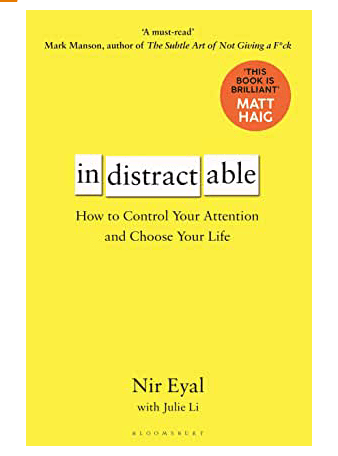
Book Review: Indistractable

This is the new title from Nir Eyal, the author of the well-known ‘Hooked’ which uncovered the research behind how social media (and other tech products) keep their users engaged. This new book took him five years of research and essentially offers advice on staying focused.

The book does a great job of explaining the Human Psychology behind much of what we all experience every day. Nir uses simple terms to cover many academic studies and uses lots of relatable examples.

The essence of the book is down to a neat set of four practices to help avoid distraction. Without going into the detail they deserve, these are:

  • Removing External Triggers – controlling gadgets, environment and people.
  • Controlling Internal Triggers – managing the day and tasks properly.
  • Make Pre-commitments – make pacts to help you stay on task.
  • Make Time – set times for the enjoyable things.

Sweeping insights that get made throughout the book include the proposition that our over-use of technology is actually helping us avoid pain. That might be having specific interactions, honest conversations or trying to work in a dysfunctional culture.

As such busying ourselves with invented tasks (like meetings and email) allow us to do something which looks like progress but often isn’t.

As you’d expect there is a lot about using settings on gadgets and leveraging proper calendar time-boxing to really get things done.

The book clearly focuses on jobs that include a decent amount of solo tasks generating creative output – like writing, programming, or design. That said I don’t think anyone can ignore advice on reducing distraction and this interesting and accessible book is a treat.

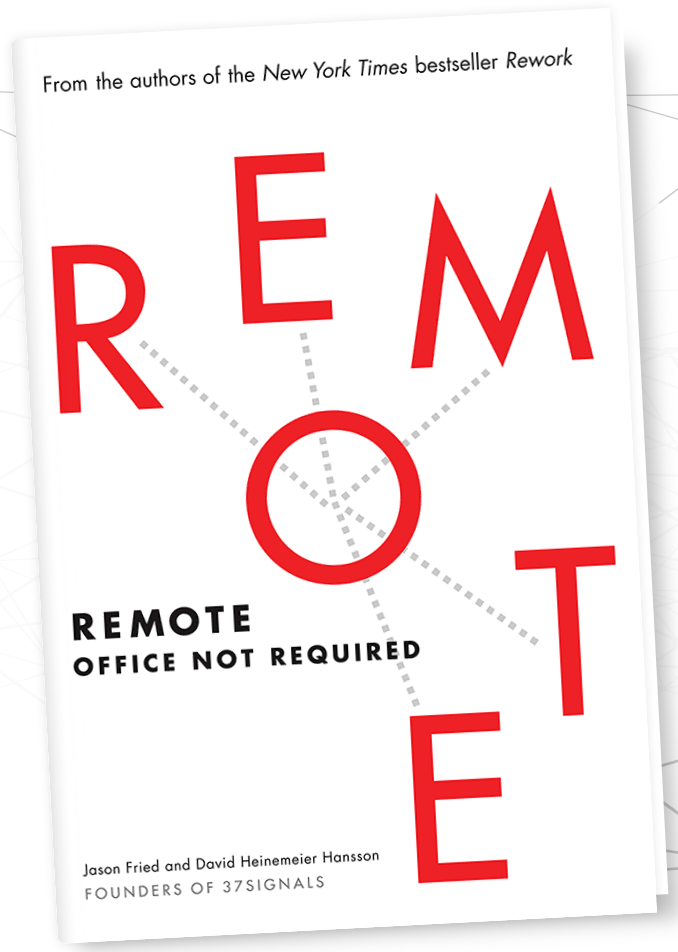
Book Review: Remote – Office Not Required.

Written by the founders of 37 Signals, a US software company, they’ve been using remote staff for years and so had a good amount of experience-based insights to share on the topic.

Generally I found the book focused more on people and companies considering or starting home-working, rather than those already doing it. That said, there are some very good points and tips in there.

Another positive is that the book is broken into 8 chapters, and each one into very short lessons. There are a total of 72 lessons, and each is only a few pages long (in the audio book lesson are 1-4 minutes only). Other books these guys have written are in a similarly digestible format.

Here are a few specific highlights that I found:

  • Some nice statistics and records on the growth of home working.
  • They recommend overlap in timezone for about 4hrs, so opportunity to speak and collaborate is not too narrow and days go by without progress.
  • Interesting insights like office-bound people state they’re “most productive” out of hours – getting in extra early or staying late. When people get together sustained focus drops.
  • Measure performance based on work quality vs time-at-desk. This said, I would add to actually measure time too – because homeworkers regularly put in very long days (and sometimes weekends) to produce the best work – but that’s unsustainable, unhealthy and will end in burnout.
  • Benefits of homeworking includes health, well-being, hobbies, family and friendships. Also benefits to the environment and personal finance.
  • Using cafes (or co-working spaces) and supporting hobbies to resolve challenges including isolation, overwork, health and home distractions.
  • “Great remote workers and just great workers”. It’s not a silver bullet to change an attitude or productivity.
  • Advice on working with customers/clients from a remote location.
  • Advice on hiring remote staff.
  • A few communication tips (via writing) when in person nuance is eliminated.
  • Recommended technology tools and resources, although a little outdated now.

So overall I liked the book, and on this topic it’s one of the better resources out there. I’ll endeavor to review more going forwards and compare.